Shipment Templates
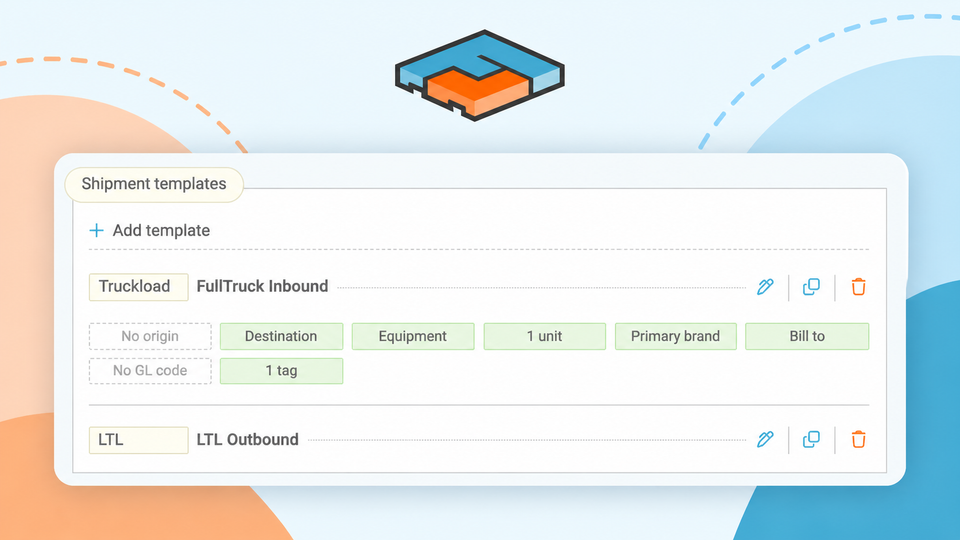
Whether you’re shipping for a specific customer, using different company brands, or managing billing across multiple divisions, Shipment Templates help streamline your quoting process and keep important details consistent.
How to Create a Shipment Template
To get started, navigate to your Settings page / Shipment Templates option. Select + Add new template and choose the information you want to save and automatically populate when you apply the template.
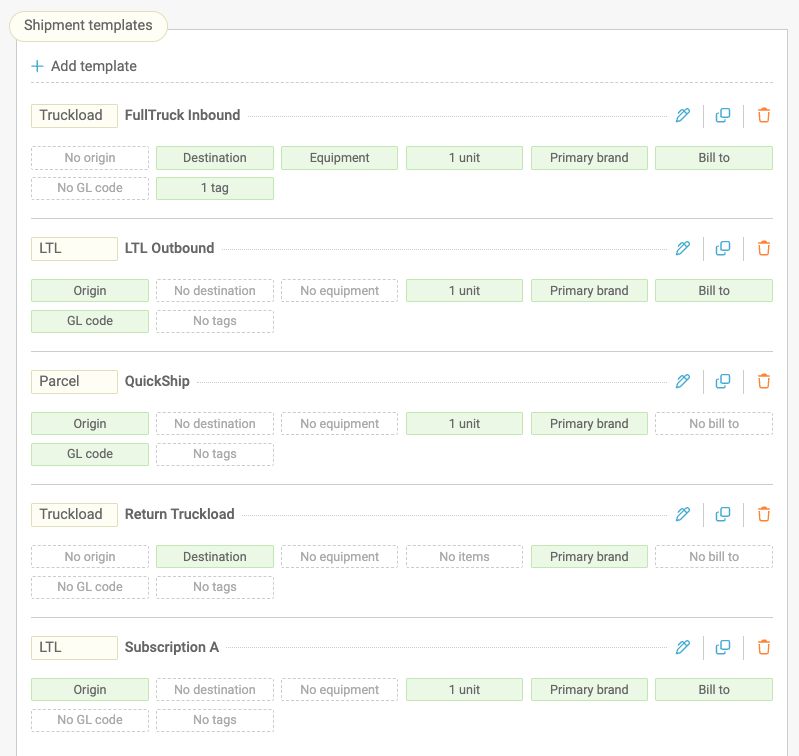
Depending on your needs, templates can include:
- Company branding
- Shipper and destination address information
- Handling units
- Bill-to information
- GL codes
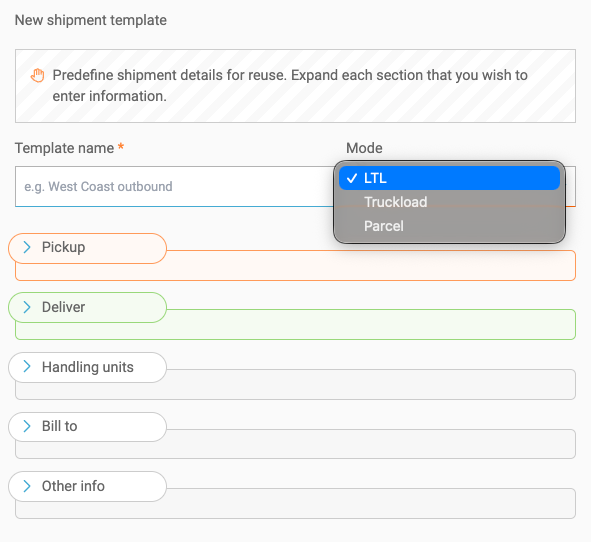
Configure the fields you want to pre-populate, save your template, and you’re ready to go!
How to Use Shipment Templates
Once you create a template, it will appear in the dropdown on your quote screen, ready to autofill for you. Freightview will also indicate which fields auto-fill, so you can quickly see what information it applies before you proceed with your quote.
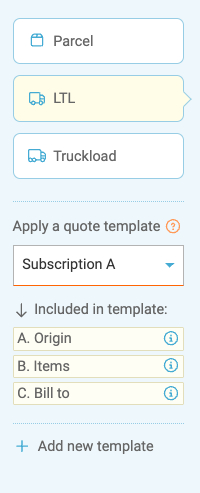
A few things to know
- Templates are available company-wide. Any user who has access to quoting can select an existing template, regardless of their Account Settings permissions.
- Creating templates requires Account Settings permissions. Only users with this permission can create new templates. (Click to read the Permissions Blog).
- Templates override Autofill from last shipment. Selecting a template replaces your existing Autofill from last shipment preferences and clears any information that was already populated on the quote screen before the template was selected.
- You can delete or clear a template at any time. Select No template applied from the dropdown menu to clear the template from the quote screen, or click the trash can in your settings menu to remove it permanently.
What other tools help you Ship Smarter?
Shipment Templates are one way Freightview helps simplify your shipping process. From Batch Quoting & Booking and Truckload Pricing & Planning to Freightview Analytics, our tools help you save time, make smarter shipping decisions, and gain better visibility into your freight.
👉 Learn more about our Top Enhancements of 2026 (So far)
Need to reach our team? Click below or give us a call: 913-353-6188