
Freightview Truckload Features
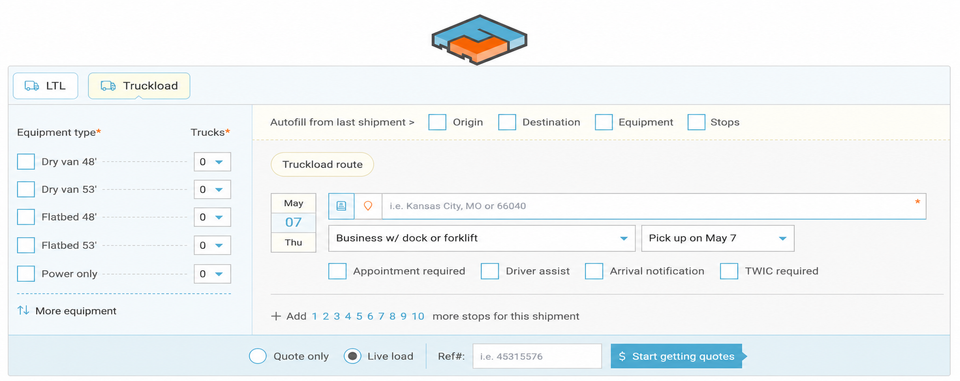
Our robust Truckload workflow works alongside your LTL & Parcel processes in Freightview. Our team works hard to keep up with the industry, adding new features & tools regularly. Popular tools included within your subscription are Contracted Rates, Batch Tendering, and the free Carrier Portal.
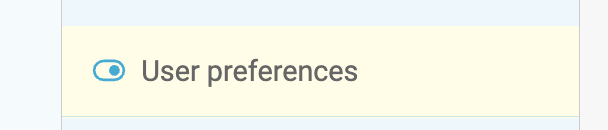
User Preferences
Start Here to optimize your User preferences for quoting/booking.
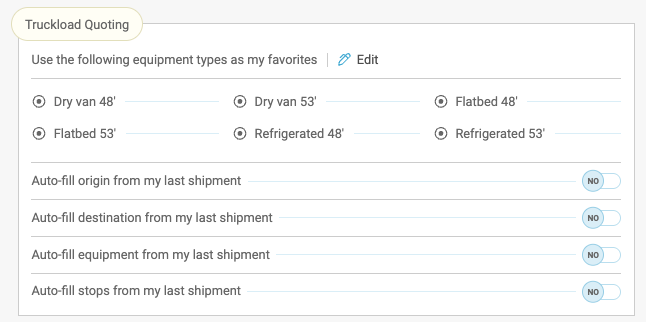
Quoting & Equipment Favorites
Pin up to six equipment types as 'favorites' so they pre-populate for your TL quotes. Toggle on Auto-fill options as well.
Account Settings
Here you can add customization for your organization's processes

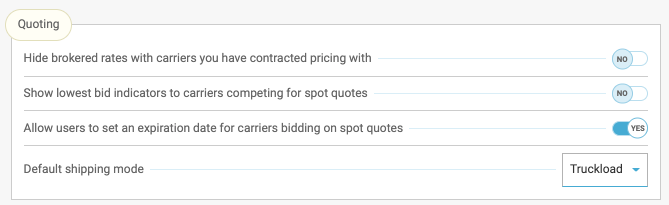
Quoting
Toggle on bid indicators letting your partner carriers know if their bid are higher or lower than other submissions, allow for expiration dates on bids, and set your default shipping mode.
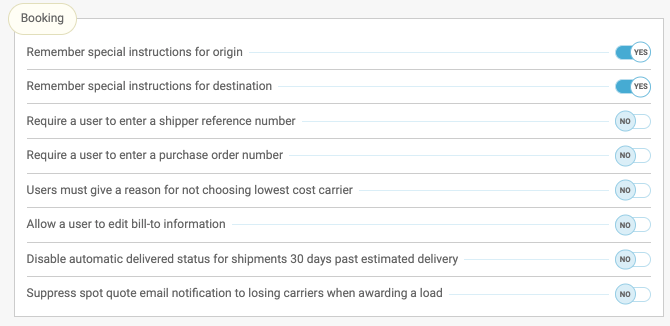
Booking
Several toggles are available, such as special instruction memory, require reference numbers, and spot quote email notifications.
Mexico & Appt Times
Full Access users can enable this ability to quote/book zip codes within Mexico, and allow carriers to update appointment times.

Canadian & Mexican Currency
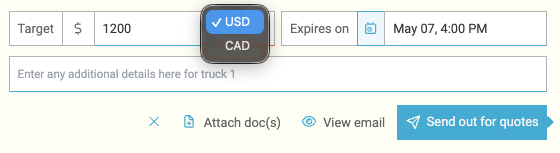
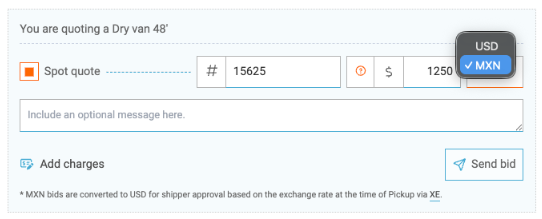
Quoting to either country? The option to toggle currency will appear as your quote accordingly on both the shipper and carrier side.
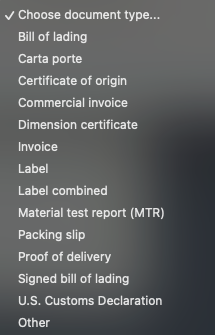
Upload and Remove Documents
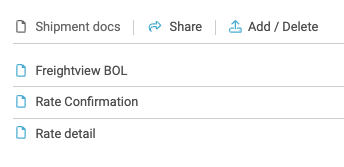
You can upload documents, including PDFs, to outgoing quotes, booked loads, and shipments post-delivery. (Carriers can upload from their side as well!)
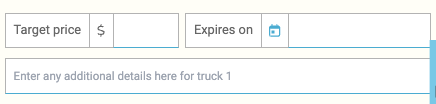
Target Pricing
While quoting, let your partners know if they need to match or beat a price.
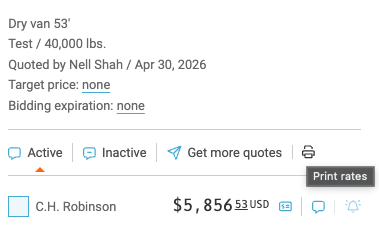
Printing Rates & Edit Carriers
Just like in the LTL workflow, you can Print Rates on the Truckload side. In the Process tab, click the shipment tile to see this option on the right slider.
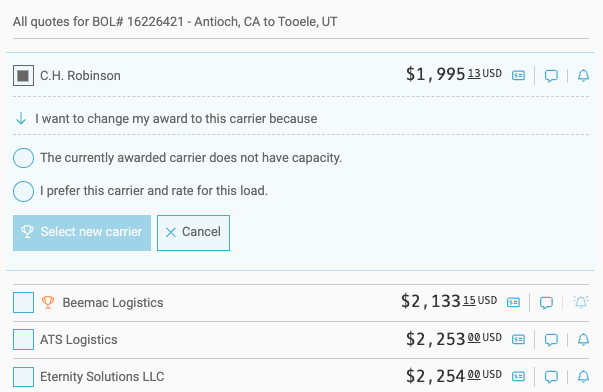
Booked shipments
Select More detail / View other quotes to see all the rate responses, or even award a new carrier.
Itemized Charges
Carriers can list shipment charges by item and update additional charges that may be incurred after pickup. Over 100 charge options are available to pre-fill; we will adjust the final cost accordingly on your side. Read more about it Here.
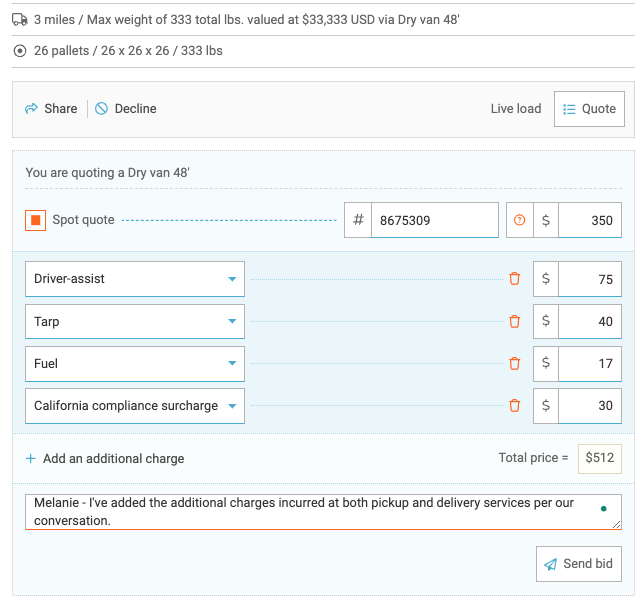
A message will then go out to you notifying you of the price change, you'll also be able to see the activity/updates in your Auditing tab.
Batch Quote & Tender
Save even more time with Freightview by letting us process multiple quotes by uploading them directly to your account through a single CSV file. Read more about it Here!

Fuel, Distance, and Historical Pricing
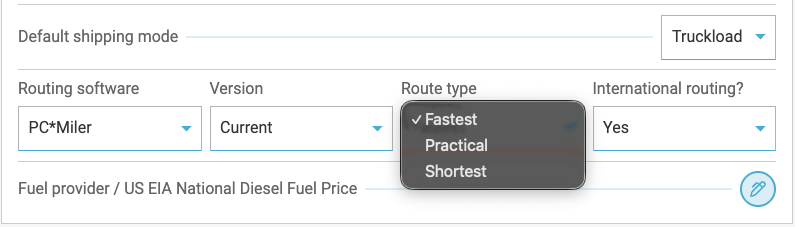
Freightview gives you tools to gather mileage details on your LTL and FTL shipments through an active connection with PC*Miler. You can also calculate fuel surcharges on your contracted rates whenever your carriers rate fuel and/or linehaul amounts per mile.
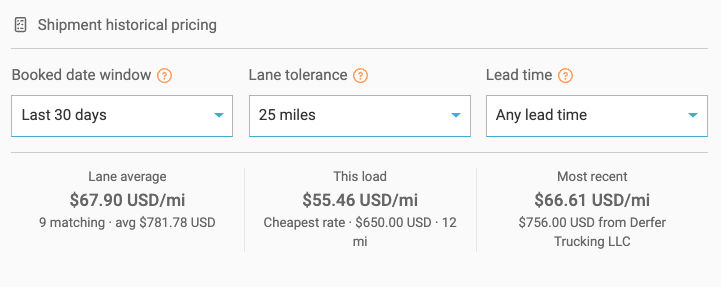
Review Historical Pricing on any Truckload lane you have shipped in the past to get instant context before you award a bid or quote a load.
👉Learn more about these slick features Here.
Truckload: Same as Last Time
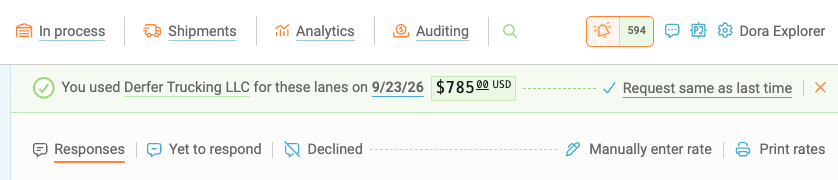
When you’re quoting a lane and equipment combination that has been tendered before, a Same as Last Time (SALT) alert shows the previous carrier and price. (screenshot)
From there, you can award the shipment to the same carrier at the previous price, send out new spot quotes, or select a contracted rate if one is available. If you choose a new spot quote or contracted rate, that price becomes the new Same as Last Time reference for future shipments.
If you award a shipment using the SALT price, the carrier can revise the price if costs change. Any revised price will come back as a spot quote, allowing you to review the updated rate before confirming and booking the shipment.
You can also track your SALT activity in Freightview Analytics. Basic and Advanced Exports include SALT metrics, giving you visibility into which shipments were booked using a Same as Last Time price.
We will continue to add enhancements to our Truckload Workflow and look forward to hearing how they improve your business operations. Don’t hesitate to reach out if you would like to set up a time with our Support team to dig deeper into your Freightview experience, or learn more about our latest features.