Waterfall Tendering for Truckload
Booking truckload shipments just got easier.
With Waterfall Tendering, Freightview can now automatically dispatch shipments using a routing guide you create, helping you secure capacity faster and reduce manual follow-up.
What is Waterfall Tendering?
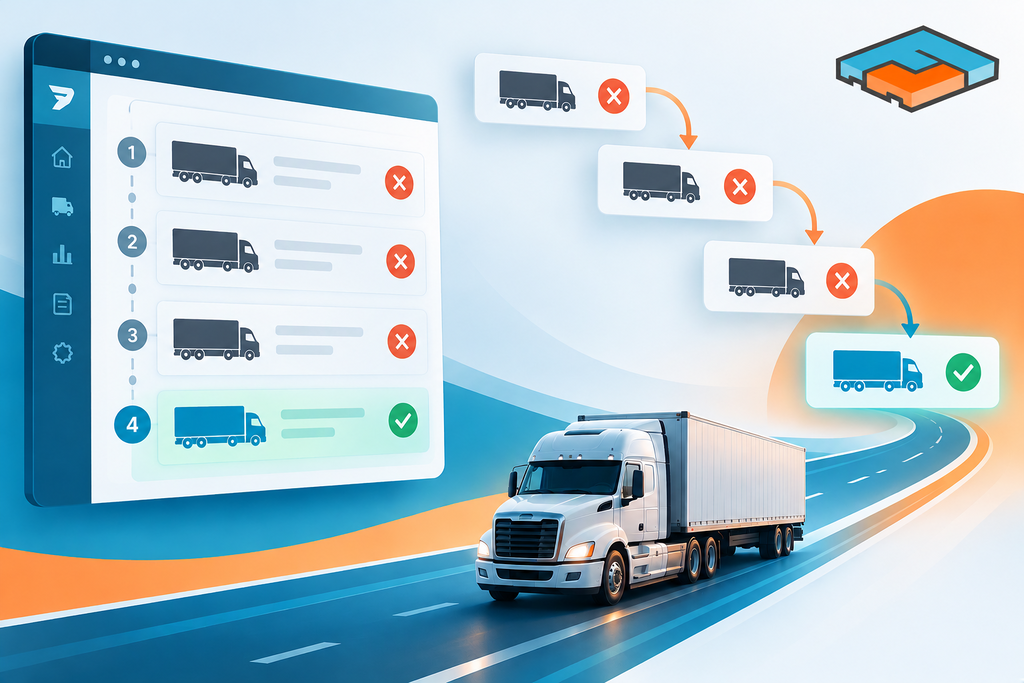
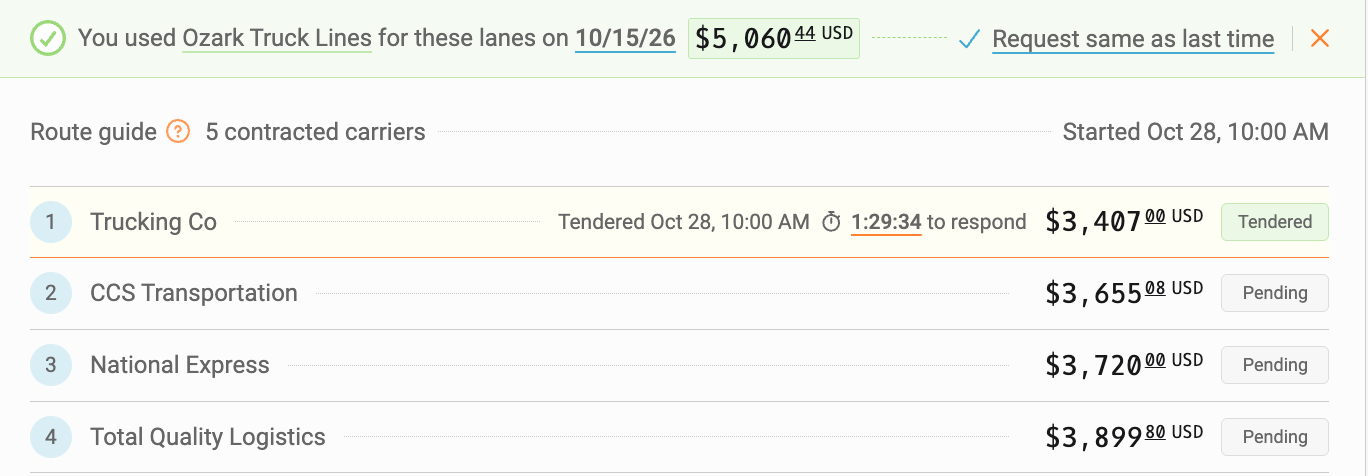
Think of it as an automated carrier selection process. When you create a shipment, Freightview tenders the load to the first carrier in your routing guide. If that carrier declines or doesn't respond within the allotted time, the shipment automatically moves to the next carrier, and so on, until it's accepted.
The result? Less time managing tenders and more confidence that your shipment is moving with your preferred providers.
Getting Started
To enable Waterfall Tendering:
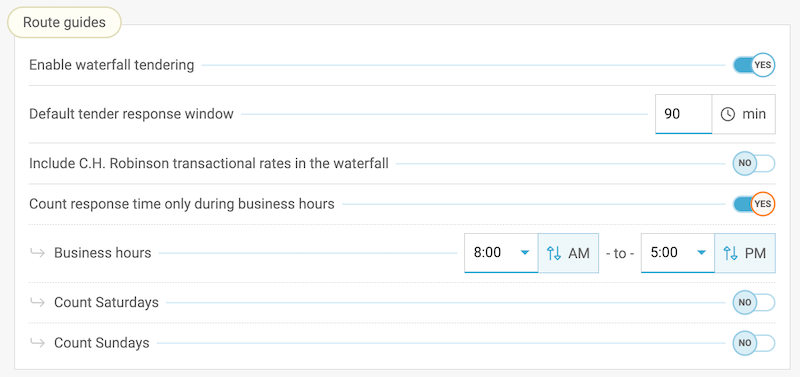
- Navigate to Settings > Account Settings
- Locate the Route Guides section
- Turn on Enable Waterfall Tendering
Once enabled, Freightview collects additional shipment details upfront, such as dock hours, contact information, and product details, so your shipment moves seamlessly through the tendering process without extra steps.
How It Works
After creating a truckload shipment:
- Freightview automatically tenders the load using your contracted carrier network.
- By default, Freightview prioritizes carriers by lowest cost.
- Need a different preference? Set carrier priority rankings within your Contracted Rates.
- Customize how long carriers have to respond before Freightview moves to the next option.
- Configure tender response windows to count only during business hours.
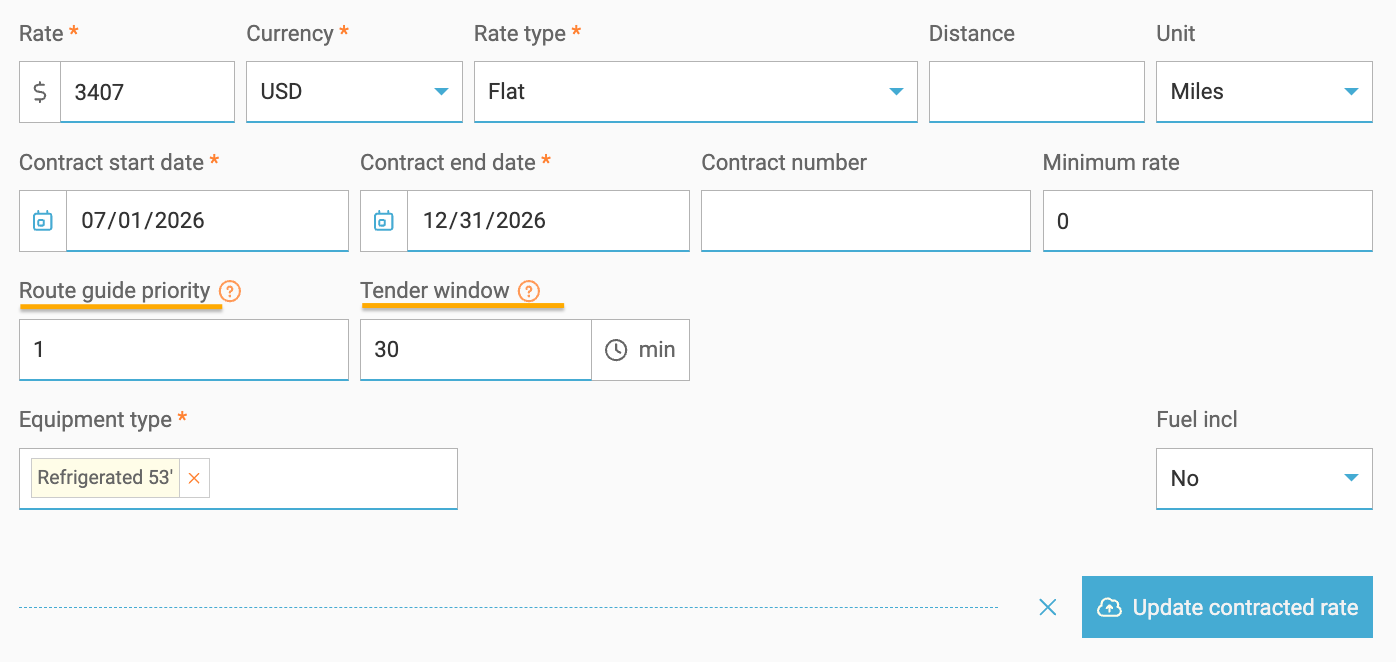
👉 Learn more about Contracted Rates
Built for Automation
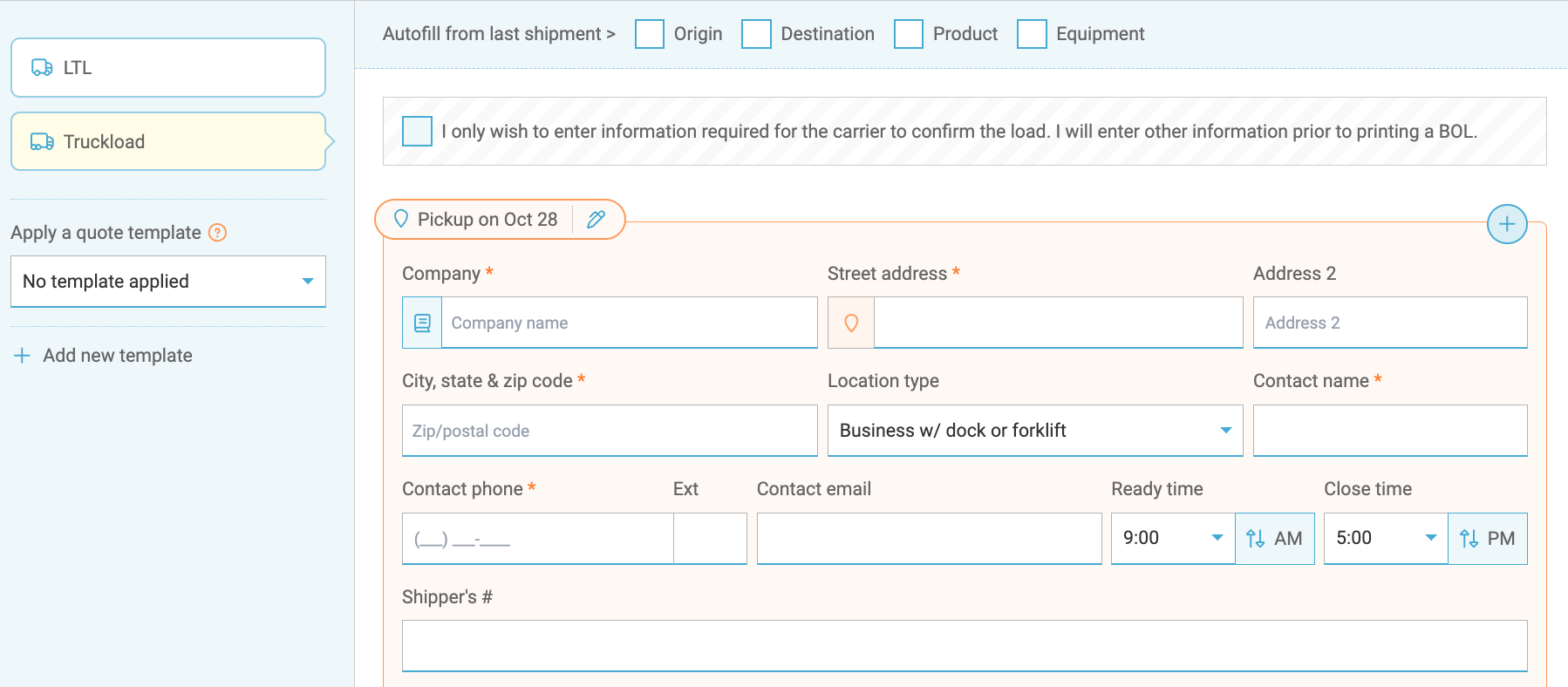
To enable automatic tendering, we enhanced the Truckload quote screen to capture key shipment details upfront. By gathering everything needed at the start, Freightview can start working through your routing guide immediately, helping you book shipments faster with fewer manual steps.
Need Spot Quotes Instead?
No problem.
At any point, you can select "End Waterfall and Request Spot Quotes" to bypass the routing guide and source pricing from your spot quote carriers.

Stay in Control
You can track shipments not accepted through the routing guide in the In Process tab, where you can review their status and send them out for spot quotes if needed.
Why You'll Love It
- Reduce manual tendering.
- Automatically follow your preferred routing guide. Prioritize carriers based on cost or business preference.
- Speed up shipment booking.
- Maintain flexibility with spot quote options.
👉 See what makes Freightview Best in Truckload

Ready to simplify your truckload booking process? Get access to these powerful Truckload tools, all with no contracts or long-term commitment. Click below or give us a call: 913-353-6188