Edit Bill-To Address for LTL

Billing details change. Contracts evolve. People click the wrong thing.
With Freightview’s Edit Bill To setting, managers can enable an easy way for users to change the Bill To location on a shipment at the time of quoting or booking.
Here's a quick walk-through on how to turn this option on and what to expect.
Settings
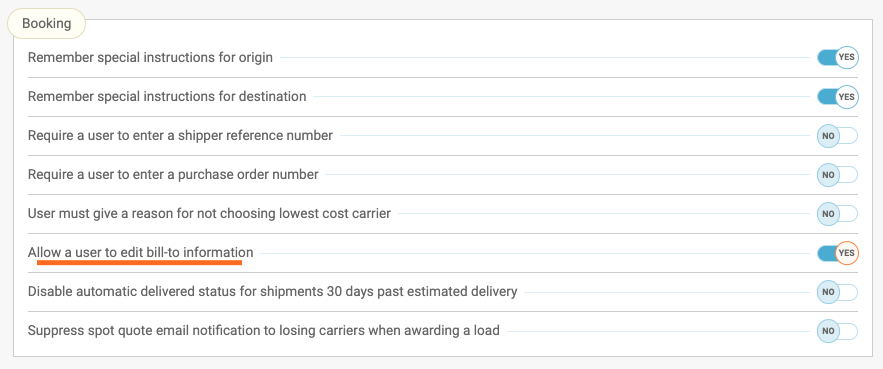
Manage access users: Navigate to your Account Settings by clicking your name in the top right corner. Booking sub-header, toggle the option to Yes in order to allow a user to edit bill-to information.
Visibility while quoting
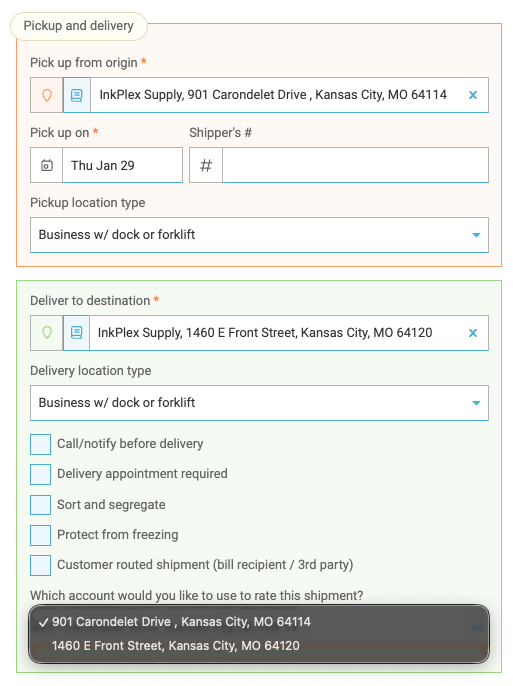
If you are quoting a shipment that is being picked up and delivered to one of your company locations, you'll see a drop-down option in the Deliver to destination section to toggle who is paying for the freight.
Third Party Billing
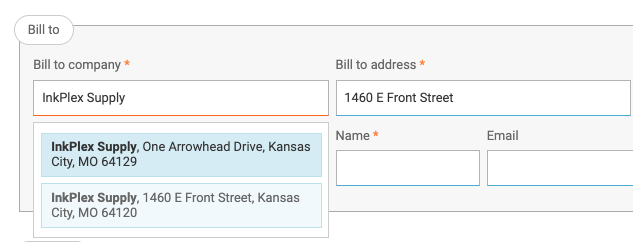
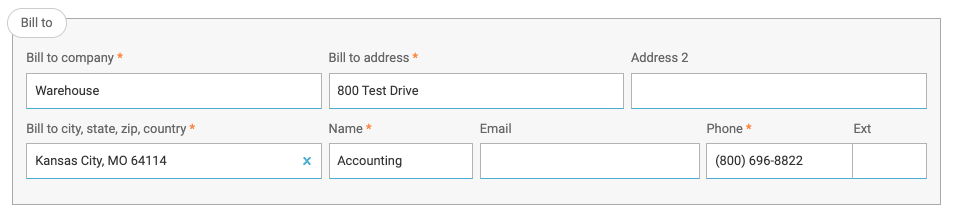
Are you looking to bill a Third-party but still use your contracted rates? You can type ahead to either select any one of your company locations from the list or enter a different party altogether.
Paperwork
Whether you schedule a pick up or Print BOL Only - we will reflect the selected company on your Bill of Lading accordingly.


Audit & Analyze
This feature is the first step in keeping clean info for team members utilizing the Auditing tool. Learn more about other awesome tools that are available within your Settings page!
Questions? Reach out to our Support Team.