Get to Know Pallet Jack: Your AI Sidekick in Freightview

Pallet Jack is your AI assistant for everything Freightview! Built for shippers and vendors, it specializes in answering shipment questions, generating quotes & loads, tracking inquiries, and analyzing trends to help supercharge your shipping process.
Once you log in, click the floating Pallet Jack icon to get started. You can also drag and drop it as needed; it will stay where you left it.
Start Here: Popular Pallet Jack Prompts
Think of it as having a Freightview expert sitting right inside your account—without having to open another tab. PJ has selected the most popular topics to get you started.
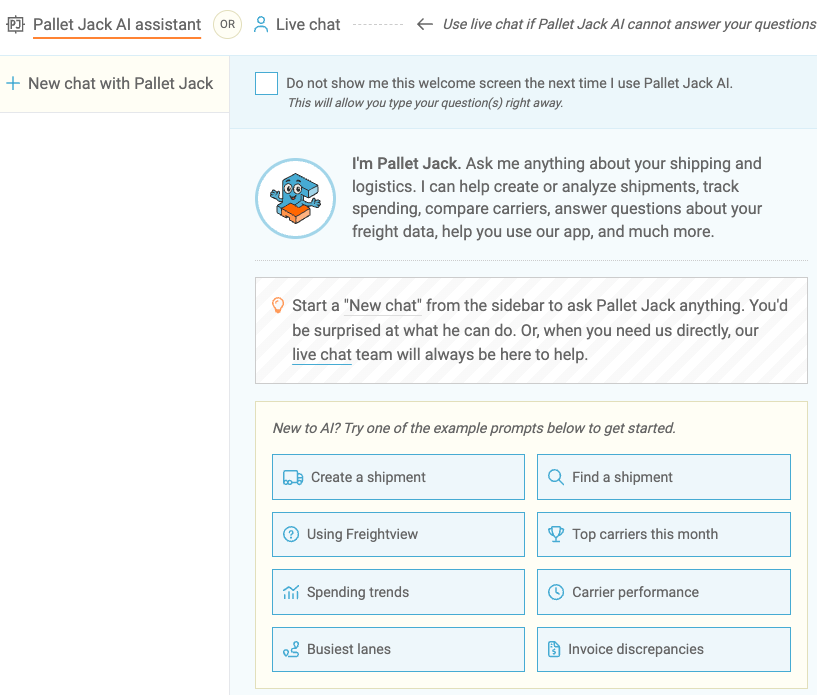
Create a shipment: Select a shipping mode, enter the load specs, and Pallet Jack will generate a link to see your rate results. From there, you can choose a carrier/service level and book your shipment.
Using Freightview: This prompt opens our knowledge base to help answer FAQs and link you to our articles with step-by-step instructions for our tools and features.
Spending Trends: This option will show your freight spending trends over the last 6 months, by default. Just reply with any edit requests or analysis questions to dive deeper.
Invoice Discrepancies: This prompt will analyze and share any invoice discrepancies from the previous month. Learn more about our Automated Invoice Matching.
Pallet Jack Is Always in Your Lane
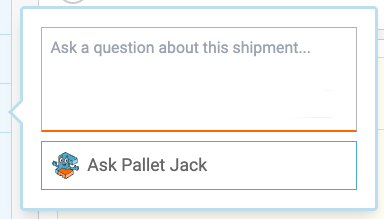
Pallet Jack is also available right where you need it most, inside your shipment details. When viewing a shipment, click Ask PJ and a message bubble will open with the prompt:
Need a Human? We've Got You.
Our team is always available via Chat to assist with any questions beyond Pallet Jack - at the top of the menu slider.