Batch Printing
Managing your shipping documents just got easier.
Freightview users can now batch-print Bills of Lading (BOLs) and shipping labels directly from the Shipments page, saving you time when processing multiple shipments at once.
Please note: Batch printing is currently available when using the Card or Condensed view. This feature is not available in Calendar view.
Select Multiple Shipments
To get started, navigate to your Shipments tab. You'll see new options in the upper-left corner that allow you to select multiple shipments at once.
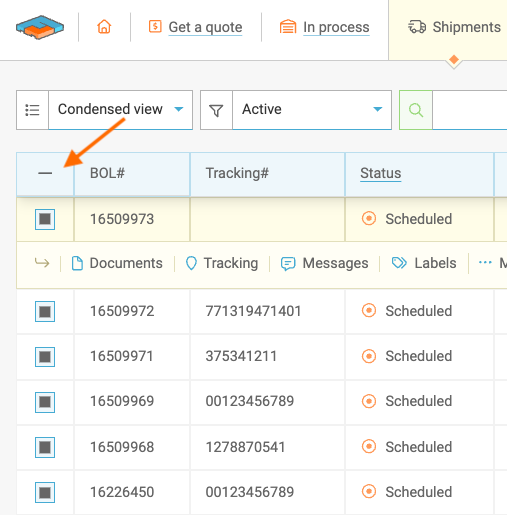
Click the checkmarks to select all shipments on your screen - or click individual boxes accordingly - then, when you're ready, click: Print paperwork.

We do limit each batch to 200 shipments; click HERE to learn more about your shipment list!
Choose What You Want to Print
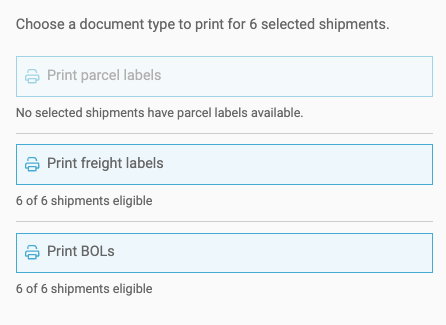
After hitting Print, a slider will open to show your current default settings or prompt you to opt in before proceeding.
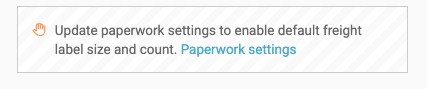
Configure Default Paperwork Settings
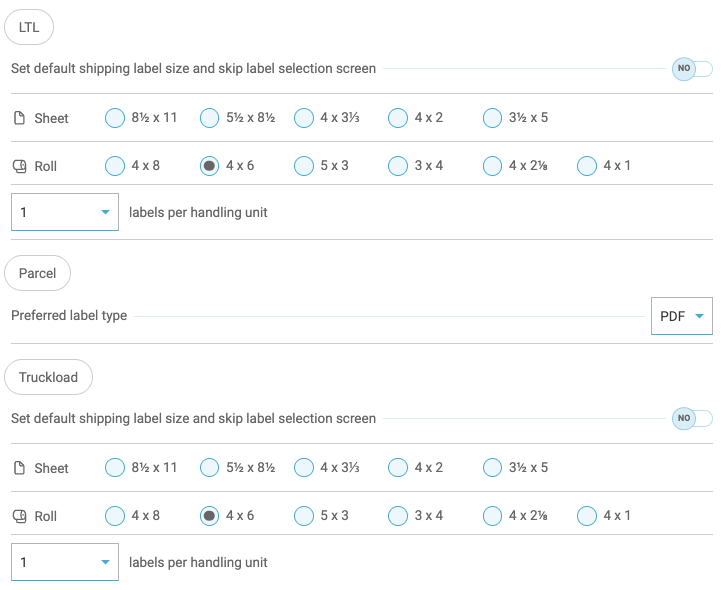
Head over to your Account settings to update preferences for BOLs & Labels.
BOL type

Labels
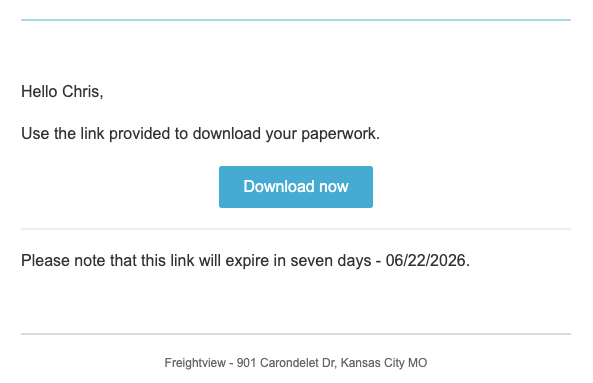
Receive Your Print File by Email
Once your print job is ready, we'll email you a link to download and print your documents.
Start Saving Time Today
Whether you're processing a handful of shipments or hundreds at a time, batch printing streamlines document management and reduces repetitive clicks.
We hope this new tool helps make your shipping workflow even more efficient. As always, if you have questions or feedback, our Support Team is here to help.