
Product Catalog Settings

Read all about how managing these settings will help your team save time and improve accuracy with your quotes.
Uploading a Catalog
First, do you already have the catalog data saved in a CSV? Our team can help by uploading this to your Freightview account on the back end. Send us an email, and we'll take care of it: Contact Us
You can access your Product Catalog from your settings menu. Select the mode to create a new entry, then + Add product.

From here, a slider will open, allowing you to enter all your pertinent product information.
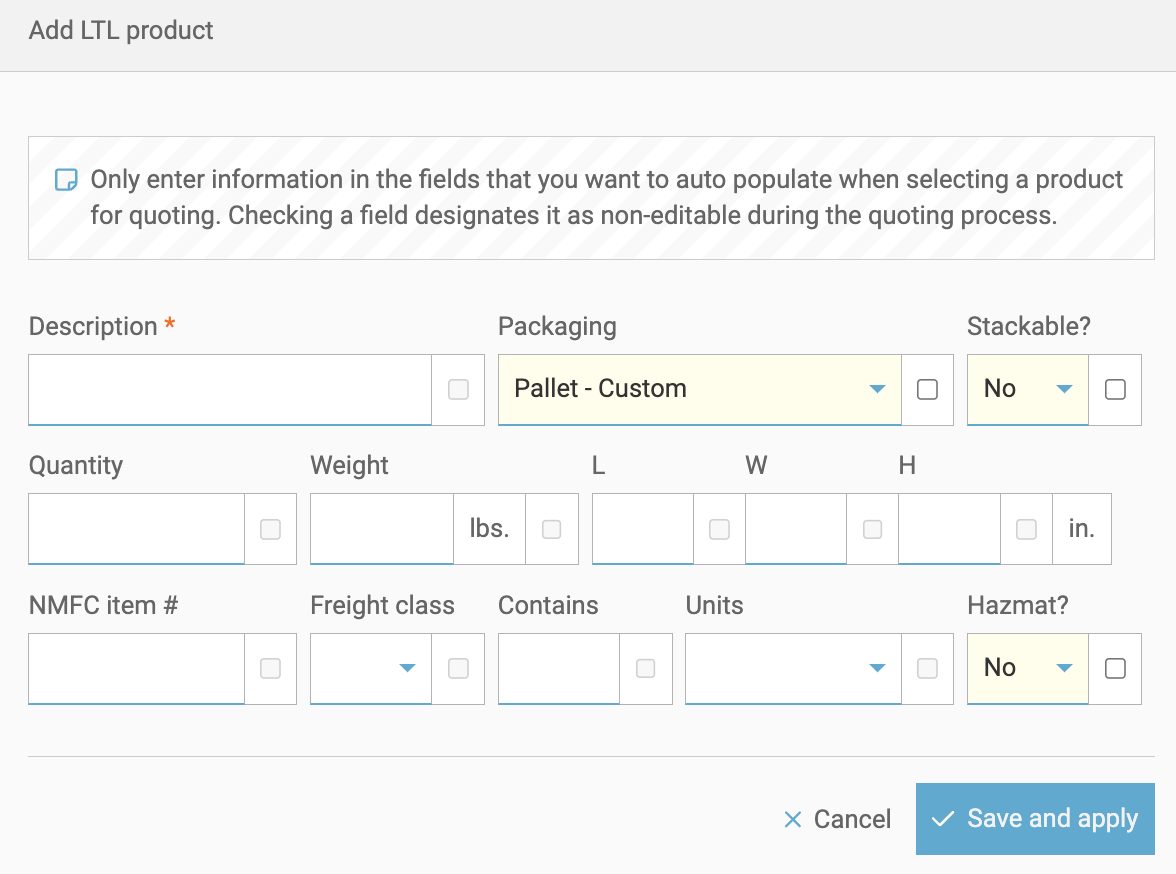
Fill in any boxes you would like to auto-populate when you select that product from your catalog in the future. Do you want to make a particular field read-only for your other users? Simply click the checkbox next to the text field.

Advanced Settings
- Allow users to quote products that are not in the catalog. If you want users to be able to quote products without restraint, you can adjust that Here.
- Have Freightview automatically create products in my catalog after booking them.
- To save time when quoting, search for your saved products using the 'Search Products' field. These will then auto-fill on the booking page.

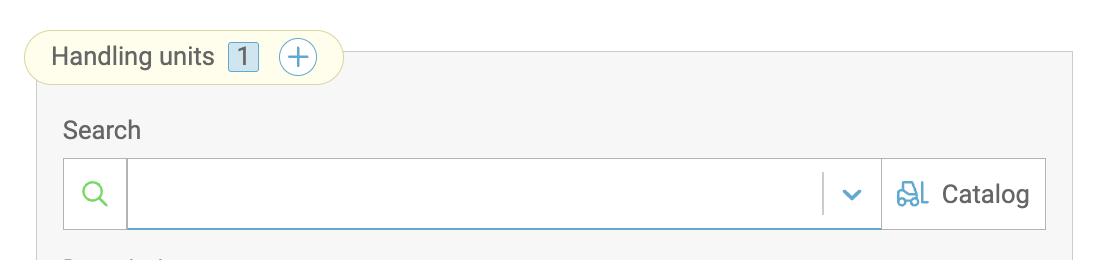
Auto-fil Options
Click here to specify which fields of your entries will be included in your Quote preferences.
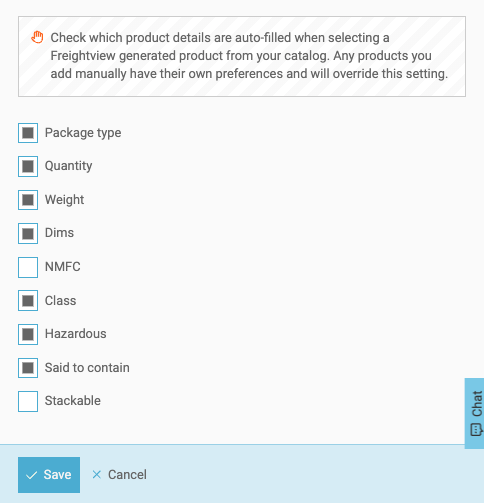
If you have any questions or feedback, please let us know: Contact Us